Relief Orthotics Limited Tel: 01236 767759

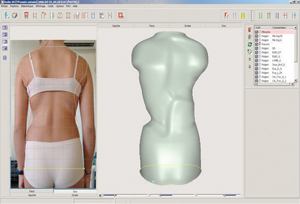
Rodin4D Rectification Software
Rodin4D Rectification Software
This easy to use and intuitive software package was developed by Orthotist/Prosthetists solely for the function of Orthotics & Prosthetics and is used for the design and rectification for many devices.
Images can be imported in various file formats or as scanned images. It is also possible to use a sizing matrix to generate images from library forms for the production of spinal supports, knee braces and prosthetic AK sockets. Using this software you can replicate all of the rectifications in the plaster room and a lot more from the comfort of your office and with much more efficient use of time than traditional plaster methods.
We are also able to provide support via the internet to ensure that you get maximum advantage of adopting this technology.
If you require any further information or to arrange an online demonstration please contact us.
